 Guide
Facing Smart TV Issues? Complete Troubleshooting & Repair Guide for Hyderabad Users
Get a complete Smart TV troubleshooting guide covering display issues, sound problems, and connectivity errors for Hyderabad.

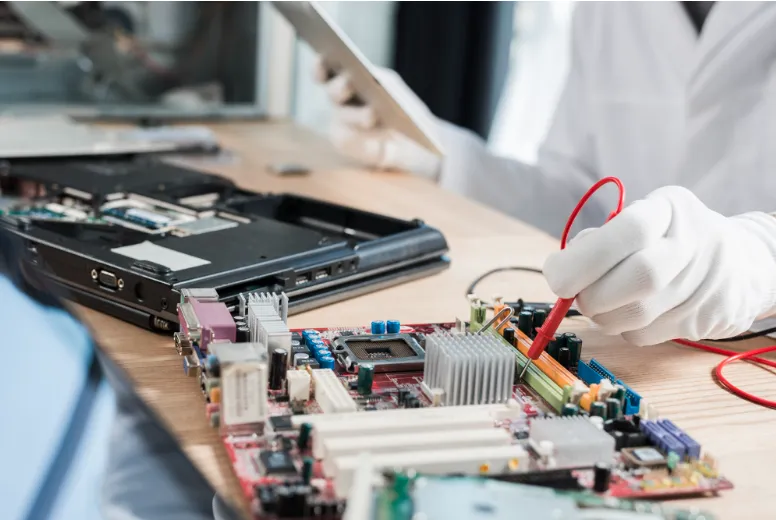
Modern smart TVs are marvels of engineering, combining high-definition visuals with complex computing power. However, like any sophisticated electronic device, they are subject to wear and tear. Recognizing the early warning symptoms of hardware or software distress can be the difference between a simple component replacement and a total unit failure. If you are noticing irregularities, understanding smart TV repair signs can help you take action before the screen goes dark permanently.
Screen flickering is often one of the first physical indicators that the internal hardware is struggling.
This issue typically stems from a:
The appearance of thin, colored, or black lines running across the screen is a critical red flag. While a single line might seem like a minor annoyance, it often indicates that the panel’s bonding is weakening. Since these lines are hardware-based, they will not disappear with a software reset. Addressing this early is vital, as a line of death can quickly multiply, rendering the entire panel unusable.
If you press the power button and experience a delay, or if the power indicator light blinks several times before the screen illuminates, your TV is likely suffering from capacitor failure. The power supply unit (PSU) inside a television relies on capacitors to regulate voltage. Over time, these components can bulge or leak, leading to slow starts.
Eventually, the capacitors will fail and the TV will refuse to power on at all. This is a common issue that is highly repairable if caught before the failing PSU causes a surge that damages the mainboard.
Audio issues in smart TVs are rarely just about the speakers. If the sound is crackling, popping, or falling out of sync with the video, it points toward a processor struggle or a failing audio IC (Integrated Circuit) on the motherboard.
In some cases, the internal speakers may have blown diaphragms due to consistent high-volume usage. Because smart TVs integrate audio processing within the main logic board, persistent sound distortion can be a precursor to a total system crash where the TV fails to boot into its operating system.
A Smart TV is only as good as its connectivity. If your device frequently drops the Wi-Fi signal while other devices in your home remain connected, the internal Wi-Fi module is likely overheating or failing.
Similarly, if apps like Netflix or YouTube crash repeatedly or refuse to launch despite software updates, the internal Flash memory may be reaching the end of its life cycle. This memory stores the firmware and app data; when it degrades, the TV becomes a dumb screen that cannot process smart functions, eventually leading to a boot-loop cycle.
Dark patches or areas of uneven brightness are signs of backlight failure. Most modern TVs use LED arrays to light the screen. When individual LEDs burn out, specific zones of the screen will appear dimmer than others.
This puts additional strain on the remaining LEDs, which then have to work harder to maintain brightness, leading to a chain reaction of failures. Professional intervention can replace these LED strips, restoring the uniform brightness of your display.
If your television turns itself off after a few minutes of use, it is likely a thermal protection measure. Just like a computer, a smart TV has a CPU that generates heat.
Frequent unexpected shutdowns are a final warning; continuing to force the TV back on can lead to permanent mainboard warping or silicon failure. Searching for television repair near me at this stage is the most cost-effective way to save the device.
If your television is showing any of the signs mentioned above, professional diagnostic services are essential to prevent a total loss. Vedh Electronics specializes in high-precision repairs for all major smart TV brands.
Our technicians are equipped with advanced tools to handle everything from backlight replacements to complex motherboard chip-level repairs. We focus on providing transparent, reliable, and quick turnaround services to ensure your home entertainment is restored without the need for an expensive new purchase.
For reliable repairs and expert consultations, visit our website to learn more about how we can extend the life of your television.
GuideGet a complete Smart TV troubleshooting guide covering display issues, sound problems, and connectivity errors for Hyderabad.
 Guide
Explore the 7 most common Smart TV problems and learn how professionals diagnose and fix display, sound & connectivity issues.
 Comparison
Understand Google TV vs Android TV issues, compare common faults, repair requirements, and expert insights on which system is best.
Doorstep TV repair across Hyderabad with a 365 Days service warranty. Inspection from ₹299, adjusted against your repair bill.
Expert advice on TV repair
In most cases, a physically cracked screen requires a full panel replacement. Because the panel accounts for 70-80% of the TV's cost, it is often more economical to replace the unit, though internal hardware issues causing lines (without physical cracks) are often repairable.
The average lifespan of a modern LED smart TV is between 7 to 10 years (approximately 40,000 to 60,000 hours of use). However, components like backlights or capacitors may require maintenance around the 5-year mark depending on usage patterns.
This is a classic sign of a failed backlight circuit. The TV is processing the image and sound correctly, but the lights that illuminate the screen have failed. You can check this by shining a flashlight close to the screen; if you see a faint image, your backlights need replacement.
Yes, especially if the issue is related to the power supply, backlights, or software. These repairs are significantly cheaper than buying a new 4K or OLED model and can extend the life of your device by several years.
Ensure there is at least 2-4 inches of space between the TV and the wall for proper airflow. Regularly dust the rear vents with a soft brush or compressed air, and avoid placing the TV near heat sources like radiators or in direct sunlight.